The Deployment That Didn’t Happen: External Threat Intelligence in Your CI/CD Pipeline
Table of Contents
It’s 2:47 PM on a Tuesday. Your infrastructure team is about to deploy a critical update to your payment processing service. The code passed all tests. The PR was approved. The deployment pipeline is green. But outside the walls of your organization, a storm is brewing that no unit test could catch—and ComplianceHarbor is the only thing standing between your team and a 3 AM incident call.
1. The Business Problem
Every CTO and CIO knows the math: unplanned outages cost between $300K and $1M per hour for enterprise organizations, depending on the service affected. Yet the tooling that decides whether code ships to production is entirely blind to the external world.
Consider what your CI/CD pipeline cannot see today:
- Zero CI/CD platforms natively check CISA’s Known Exploited Vulnerabilities catalog before deploying
- Zero CI/CD platforms correlate deployment timing with Patch Tuesday cycles, cloud provider incidents, or ISP health degradation
- Zero CI/CD platforms know that deploying a Microsoft Exchange update during an active dark web zero-day auction is a catastrophically bad idea
The result? Your engineering team ships based on internal signals alone—test results, code coverage, peer review—while ignoring the external threat landscape that determines whether that deployment will succeed or trigger a cascade failure.
And when it fails, the SEC’s 4-day cybersecurity incident disclosure rule means the consequences extend far beyond the operations team. A deployment that introduces a known exploited vulnerability into production is no longer just an engineering problem—it’s a material disclosure event.
2. The Demo Walkthrough
Let’s walk through exactly what happens when ComplianceHarbor is integrated into your deployment pipeline.
Step 1: GitHub Actions Integration
The integration starts with a single step in your GitHub Actions workflow. Before any deployment proceeds, the pipeline calls ComplianceHarbor’s evaluate_rollback_trigger MCP tool:
name: Deploy to Production
on:
  push:
    branches: [main]

jobs:
  deploy:
    runs-on: ubuntu-latest
    steps:
      - uses: actions/checkout@v4

      - name: Run Tests
        run: npm test

      - name: Check External Risk
        id: risk-check
        run: |
          RESPONSE=$(curl -s -X POST \
            https://api.complianceharbor.com/v1/mcp/evaluate_rollback_trigger \
            -H "Authorization: Bearer ${{ secrets.CH_API_KEY }}" \
            -H "Content-Type: application/json" \
            -d '{
              "change_id": "CRQ-${{ github.run_number }}",
              "systems": ["Microsoft Exchange", "Azure AD"],
              "risk_threshold": 60,
              "ci_platform": "github_actions"
            }')
          SHOULD_HALT=$(echo $RESPONSE | jq -r '.should_halt')
          echo "should_halt=$SHOULD_HALT" >> $GITHUB_OUTPUT

      - name: Deploy
        if: steps.risk-check.outputs.should_halt != 'true'
        run: ./deploy.sh
In under 2 seconds, ComplianceHarbor evaluates 26 external intelligence sources and returns a definitive should_halt: true/false decision.
Step 2: Rollback Trigger Evaluation
Here’s what happened in our live demo. The pipeline called evaluate_rollback_trigger for a Microsoft Exchange deployment—and ComplianceHarbor immediately detected critical external risk conditions:
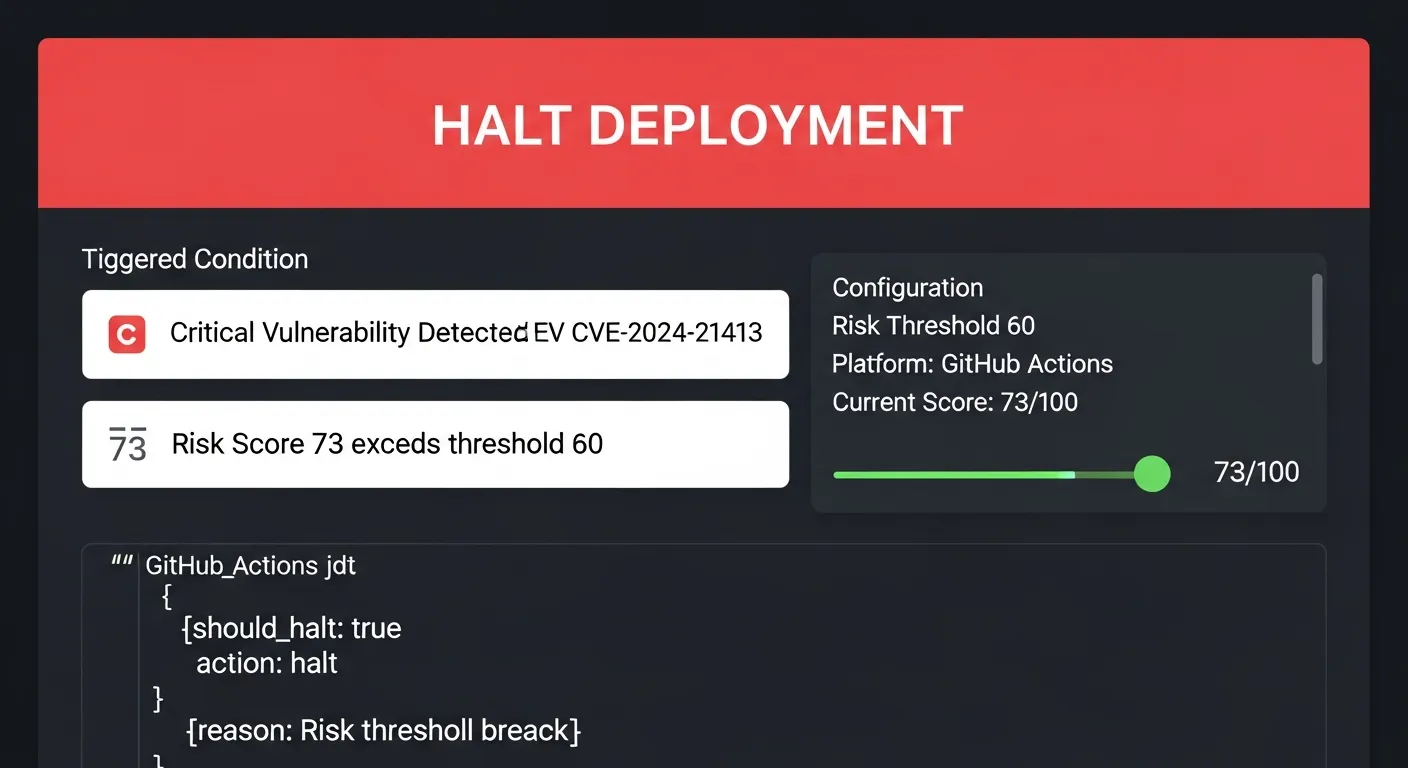
The system detected CVE-2024-21413—a critical vulnerability in Microsoft Outlook that was being actively exploited in the wild. The risk score of 73 exceeded the configured threshold of 60, and the deployment was automatically halted with a platform-specific GitHub Actions halt payload.
No human intervention required. No Slack message that someone might miss. The pipeline simply stopped.
Step 3: Understanding What Was Detected
The halt wasn’t based on a single signal. ComplianceHarbor’s conflict analyzer identified multiple concurrent risk factors that made this deployment window dangerous:
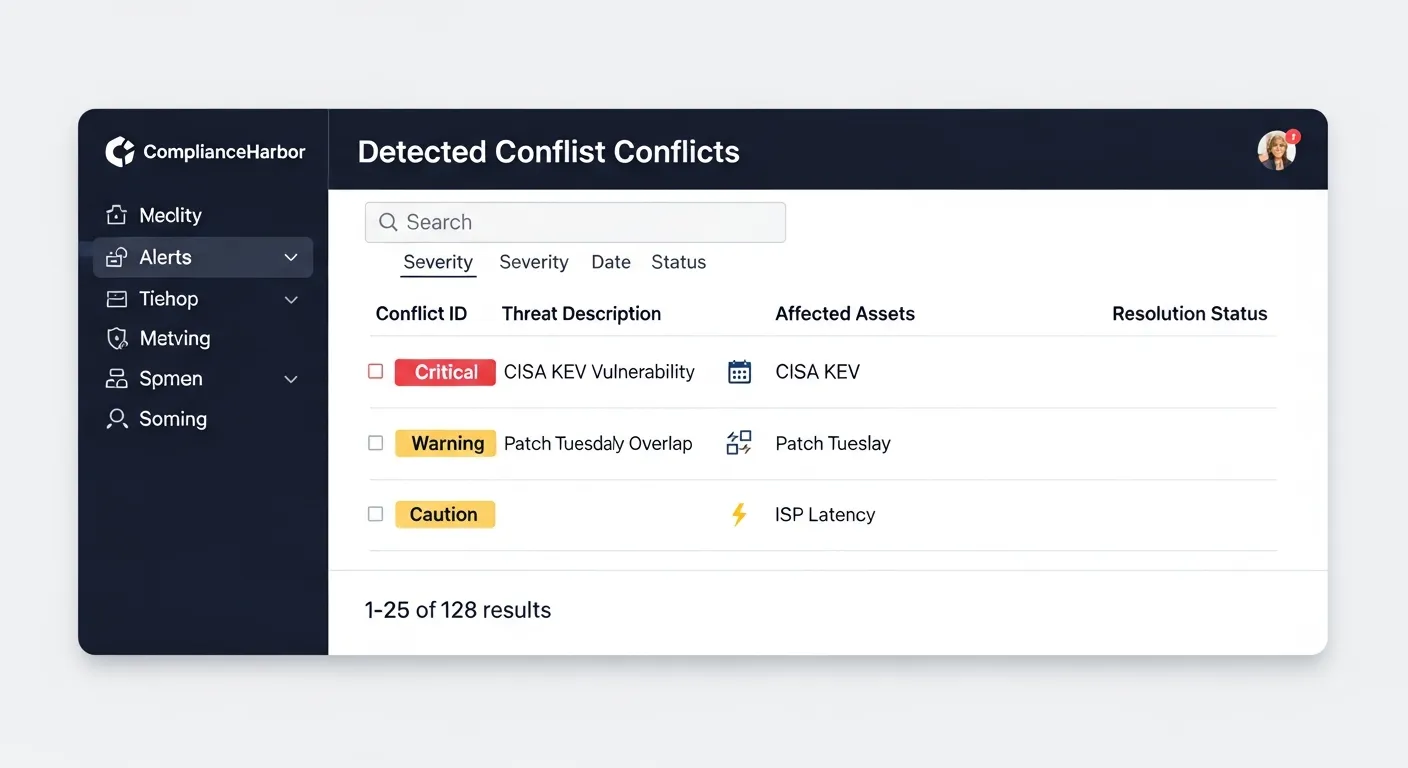
The analysis revealed:
- Critical: CISA KEV confirmed CVE-2024-21413 is actively exploited
- High: NVD reported 3 high-severity CVEs in Microsoft Exchange
- High: Patch Tuesday overlap—Microsoft Security Update due in 48 hours
- Medium: Dark web mention of Exchange zero-day exploit being traded
- Low: ISP latency spike in US-east-1 region
Any one of these signals might be acceptable in isolation. Together, they represent a deployment window where the probability of a security incident is unacceptably high.
Step 4: Suggesting Safer Alternatives
Halting a deployment is only useful if you can tell the team when it’s safe to try again. ComplianceHarbor’s suggest_change_windows tool immediately identifies optimal deployment windows based on current and projected risk conditions:
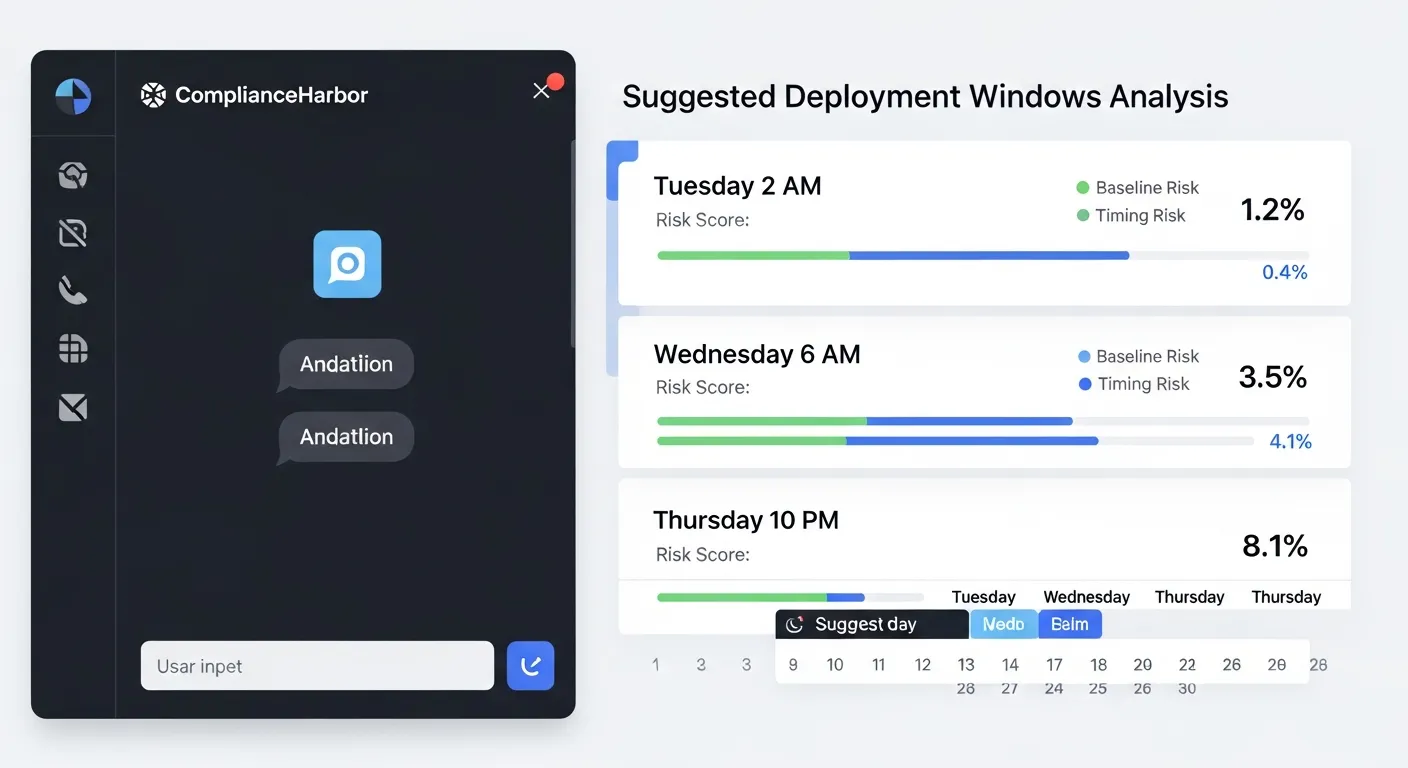
The system suggested three alternative windows, ranked by combined risk score:
- Saturday 2:00 AM — Timing Risk: 3/100 (optimal low-traffic window, post-patch Tuesday)
- Sunday 4:00 AM — Baseline Risk: 45/100 (acceptable, after patch application)
- Tuesday 10:00 PM — Baseline Risk: 45/100 (next week, all critical CVEs expected to be patched)
Each window includes specific remediation items—patch CVE-2024-1234, upgrade EOL software—that would further reduce the baseline risk if completed before the deployment.
Step 5: Vulnerability Intelligence Depth
Beyond the binary halt/proceed decision, ComplianceHarbor provides deep vulnerability intelligence that helps engineering teams understand why a deployment was halted and what specific actions will resolve the risk:
- CISA KEV correlation: Cross-references your deployment’s technology stack against CISA’s actively exploited vulnerabilities catalog
- NVD severity analysis: Aggregates all CVEs affecting your target systems with CVSS scores and exploitation status
- Patch calendar awareness: Correlates your deployment timing with vendor patch release schedules to avoid deploying into a known vulnerability window
- Dark web monitoring: Detects mentions of exploits targeting your stack on dark web forums and marketplaces
- Infrastructure health: Validates cloud provider status, ISP health, and regional network stability before allowing deployment
3. Enhanced Halt Reason Cards
When ComplianceHarbor halts a deployment, it doesn’t just return a boolean. The enhanced Halt Reason Card gives developers and operations teams a structured, human-readable summary of exactly why the deployment was stopped—and precisely what needs to happen before it can proceed.
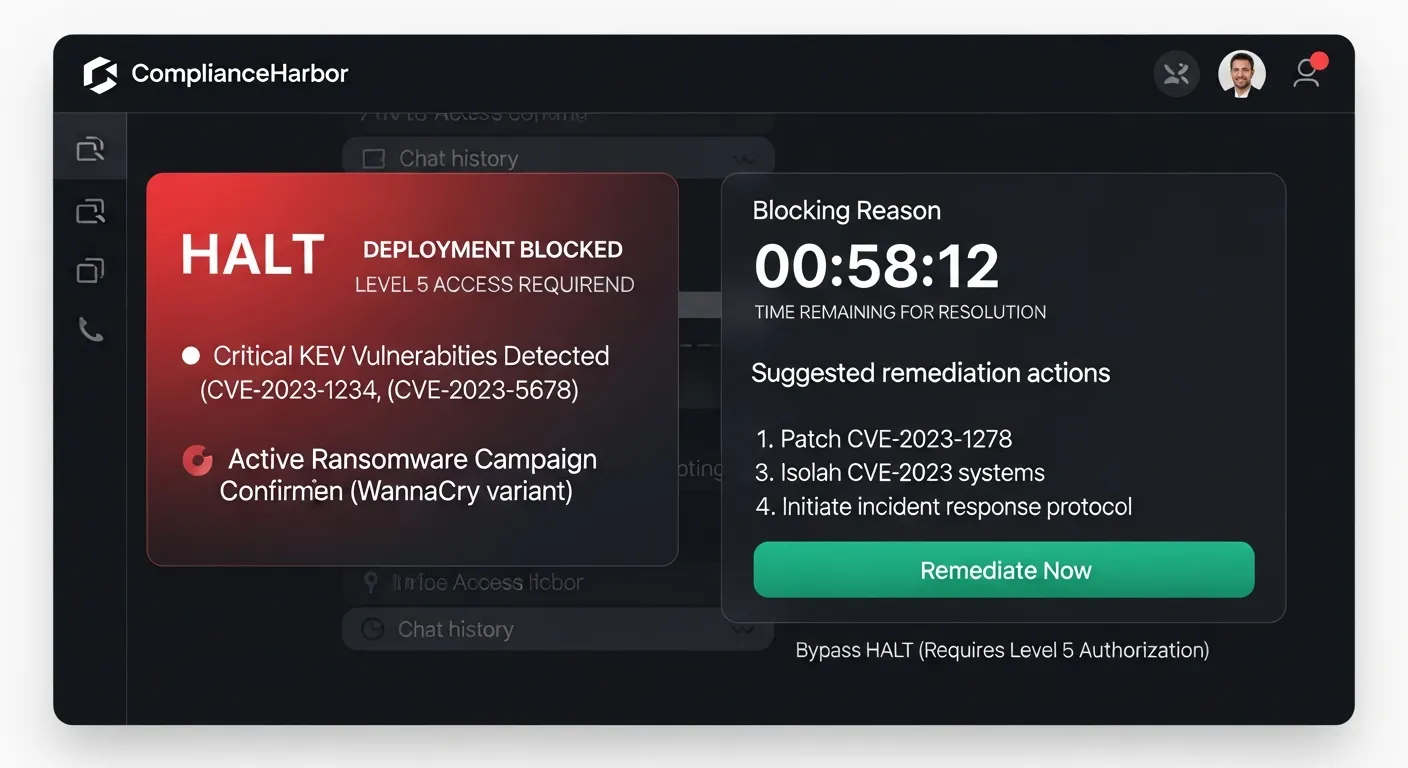
Each Halt Reason Card includes the following fields, designed for both human consumption and machine integration:
- Headline: A concise description of the halt reason (e.g., “DEPLOYMENT HALTED: Critical CVE Detected”)
- Affected Components: The specific systems and services impacted by the detected risk (e.g., Microsoft Exchange, Azure AD)
- Estimated Risk Window: The time range during which the risk is projected to remain elevated, so teams know how long to wait
- Suggested Action: Concrete remediation steps—apply a specific patch, wait for Patch Tuesday, contact the security team—so engineers can act immediately
- Reference URL: Direct link to the source advisory (CISA KEV, NVD, vendor bulletin) for full technical details
- Clearance Type: Whether the halt requires manual review (security team sign-off), auto-clearance (risk drops below threshold on its own), or patch verification (specific CVE must be remediated)
- Estimated Clearance Time: A countdown showing when the risk window is expected to close—for example, “6d 14h remaining” until Patch Tuesday resolves the underlying vulnerability
The clearance type and expiry timer transform a deployment halt from a frustrating blocker into an actionable work item with a clear resolution path. Engineers know exactly what to do and when they can retry.
{
  "halt_reason_card": {
    "headline": "DEPLOYMENT HALTED: Critical CVE Detected",
    "affected_components": ["Microsoft Exchange", "Azure AD"],
    "estimated_risk_window": "2026-03-08T00:00:00Z / 2026-03-15T00:00:00Z",
    "suggested_action": "Apply patch for CVE-2024-21413 or wait for Patch Tuesday release",
    "reference_url": "https://www.cisa.gov/known-exploited-vulnerabilities-catalog",
    "clearance_type": "manual_review",
    "estimated_clearance_time": "2026-03-14T18:00:00Z"
  }
}
4. Automated Remediation Workflow
A halted deployment shouldn’t just sit in limbo. ComplianceHarbor’s Remediation Workflow Engine automatically converts every halt into a tracked remediation finding, ensuring that the underlying risk is systematically addressed rather than forgotten.
Here’s what happens automatically when a deployment is halted:
- Finding creation: The halt triggers
create_remediation_findings, which generates a tracked finding linked to the halted change request, the specific CVEs detected, and the risk score at time of halt - Status tracking: The finding follows a structured lifecycle—open → in_progress → resolved or accepted—with full audit history at every transition
- Evidence on resolution: When the finding is resolved (patch applied, mitigation implemented), the system generates a SHA-256 evidence receipt tied to the original halt, creating a complete audit chain from halt → finding → remediation → evidence
- ALE trend tracking: Each finding includes FAIR-aligned Annualized Loss Expectancy (ALE) values, so the financial impact of unresolved findings is tracked over time
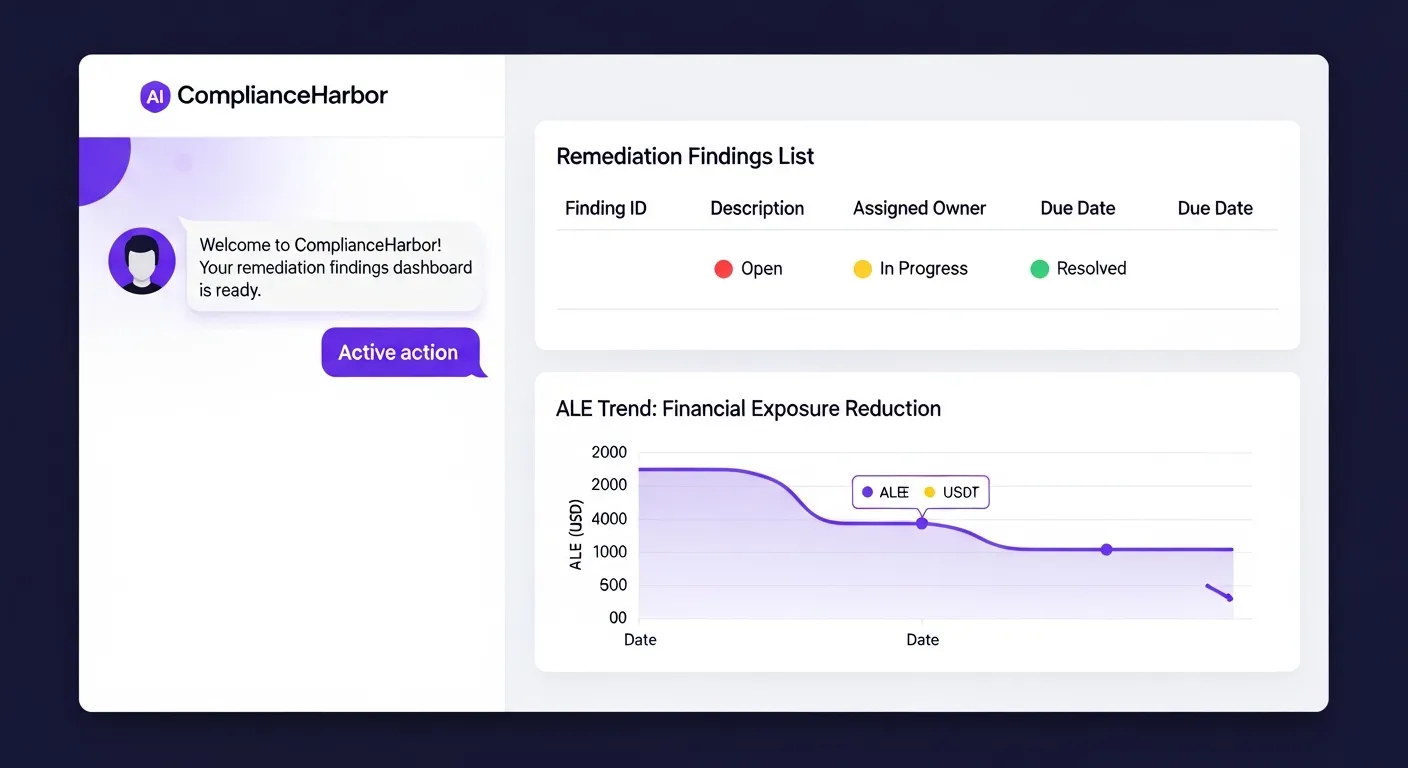
The result: every deployment halt becomes a closed-loop remediation cycle. No more “we halted that deployment last month but never followed up on the underlying vulnerability.” The Remediation Workflow Engine ensures that halted deployments drive actual risk reduction, not just delayed risk acceptance.
5. Internal Control Signals
External intelligence is only half the picture. ComplianceHarbor’s Internal Control Connectors bring your organization’s own operational data into the deployment decision, creating a unified risk view that combines external threats with internal posture.
For CIOs managing deployment pipelines, the Ticketing System connector is particularly powerful. By ingesting signals from ServiceNow or Jira, ComplianceHarbor can verify that:
- Change approval status: The deployment has gone through proper CAB approval workflows before reaching the pipeline gate
- Open priority tickets: No unresolved P1/P2 incidents exist for the target systems that could compound deployment risk
- Change approval rate: Historical approval rates are tracked as a leading indicator of process health (e.g., 91% approval rate across the last 30 days)
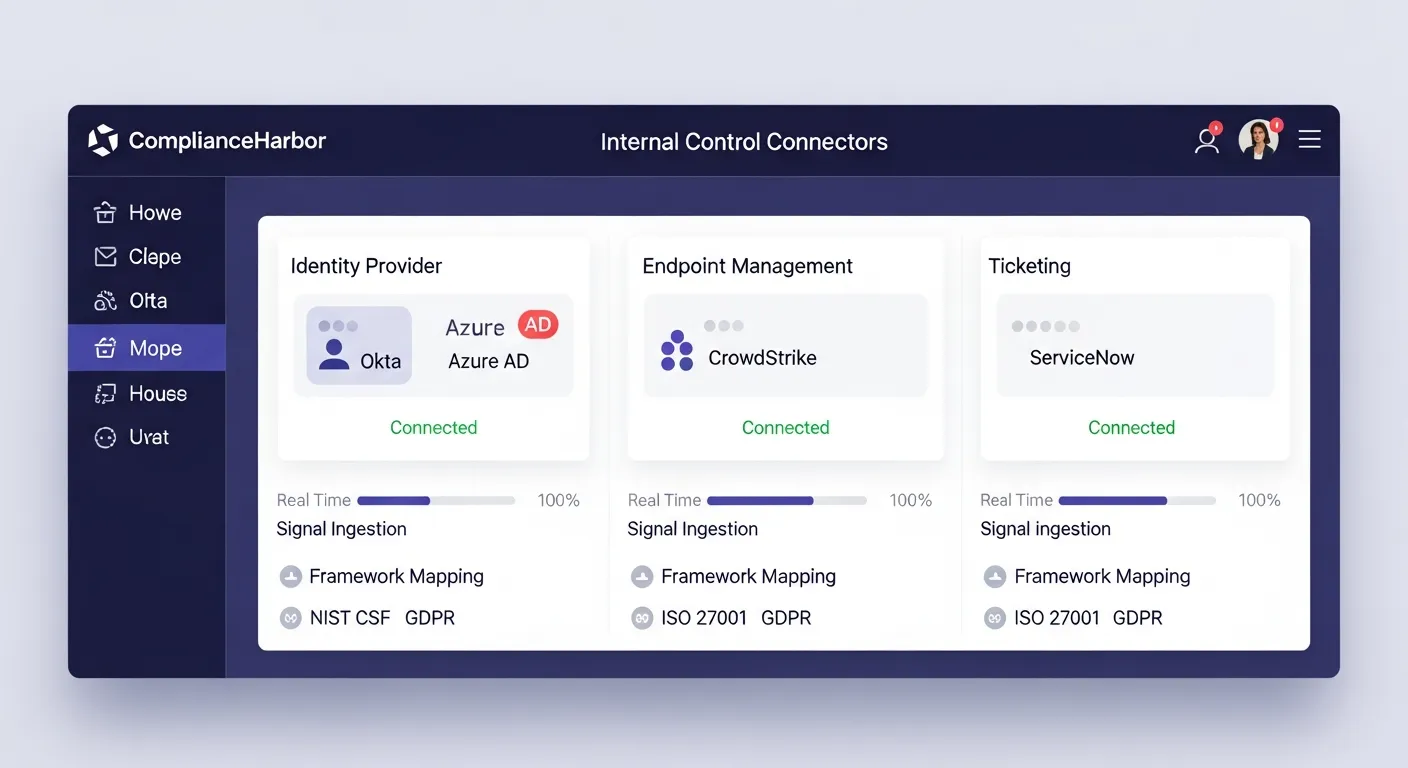
The ticketing connector maps directly to ITIL 4 change management practices and SOC 2 CC8.1 (Change Management) controls. When combined with the Identity connector (Okta/Azure AD for access reviews) and Endpoint connector (CrowdStrike/Defender for EDR coverage), the platform creates a comprehensive internal control posture that enriches every deployment decision.
These internal signals are automatically included in evidence generation, so when an auditor asks “how do you verify change approval before deployment?”—the answer includes cryptographic proof of both the external threat assessment and the internal control verification, generated automatically for every pipeline run.
6. Tools Included in DeployGuard
This demo walkthrough exercised the following MCP tools, each available via REST API or native MCP protocol:
| MCP Tool | What It Returns | Pipeline Use Case |
|---|---|---|
| evaluate_rollback_trigger | Halt/proceed decision with triggered conditions and platform-specific action payload | Pre-deployment gate in CI/CD pipeline |
| assess_change_risk | Composite risk score (0-100) with conflict details and severity breakdown | Risk scoring for change advisory board decisions |
| suggest_change_windows | Ranked alternative deployment windows with timing/baseline scores and remediation items | Rescheduling halted deployments to safer windows |
| get_vulnerability_summary | CVE details, CVSS scores, exploitation status, and remediation guidance | Engineering team briefing on specific risks |
| generate_evidence_receipt | SHA-256 hashed evidence with framework control mappings and retention metadata | Audit trail for every deployment decision |
| check_dark_web_exposure | Dark web mentions, credential leaks, and exploit marketplace activity for your stack | Threat intelligence enrichment for risk decisions |
| check_patch_race | Days-exposed metrics per CVE, mean time to patch, unpatched exploited count | Patch velocity analysis for deployment timing decisions |
| check_regional_resilience | Composite resilience score across power grid, connectivity, weather, seismic, and cloud infrastructure | Regional infrastructure stability validation before deployment |
| create_remediation_findings | Tracked remediation findings with severity, ALE values, and lifecycle status | Auto-create findings from halted deployments for systematic follow-up |
| resolve_remediation_finding | Resolution receipt with SHA-256 evidence hash and status transition record | Close remediation loop with cryptographic proof of resolution |
| ingest_ticketing_signals | Change approval rates, open priority tickets, and workflow compliance from ServiceNow/Jira | Verify CAB approval and change management posture before deployment |
7. Sample API Response
Here is the actual response shape from the evaluate_rollback_trigger tool when it halts a deployment. This is the payload your CI/CD pipeline receives:
{
  "should_halt": true,
  "risk_score": 73,
  "risk_threshold": 60,
  "triggers_fired": [
    {
      "trigger": "critical_vulnerability_detected",
      "severity": "critical",
      "details": "CISA KEV: CVE-2024-21413 actively exploited in Microsoft Outlook",
      "source": "cisa_kev"
    },
    {
      "trigger": "patch_tuesday_overlap",
      "severity": "high",
      "details": "Microsoft Security Update scheduled within 48 hours",
      "source": "msrc"
    },
    {
      "trigger": "dark_web_threat",
      "severity": "medium",
      "details": "Exchange zero-day exploit referenced on dark web marketplace",
      "source": "dark_web_intel"
    }
  ],
  "action_payload": {
    "platform": "github_actions",
    "action": "halt",
    "reason": "Risk threshold breached (73 > 60)",
    "workflow_command": "::error::Deployment halted by ComplianceHarbor - risk score 73 exceeds threshold 60"
  },
  "suggested_actions": [
    "Apply patch for CVE-2024-21413 before redeploying",
    "Wait for Microsoft Patch Tuesday release (48 hours)",
    "Use suggest_change_windows to find optimal deployment time"
  ],
  "halt_reason_card": {
    "headline": "DEPLOYMENT HALTED: Critical CVE Detected",
    "affected_components": ["Microsoft Exchange", "Azure AD"],
    "estimated_risk_window": "2026-03-08T00:00:00Z / 2026-03-15T00:00:00Z",
    "suggested_action": "Apply patch for CVE-2024-21413 or wait for Patch Tuesday release",
    "reference_url": "https://www.cisa.gov/known-exploited-vulnerabilities-catalog",
    "clearance_type": "manual_review",
    "estimated_clearance_time": "2026-03-14T18:00:00Z"
  },
  "evidence_hash": "sha256:a9f3c7e2b1d4...8f6e2a1c9b3d",
  "assessed_at": "2026-03-07T14:47:23Z"
}
Every field in this response is designed for machine consumption. The action_payload contains the platform-specific command to halt the deployment, while triggers_fired provides human-readable explanations for the engineering team. The halt_reason_card provides a structured, developer-readable summary with clearance type, expiry timer, and actionable next steps. The evidence_hash ensures the entire decision is cryptographically recorded for audit purposes.
8. The Bottom Line
Your engineers shipped confidently. ComplianceHarbor stopped the one deployment that would have woken everyone up at 3 AM.
Without ComplianceHarbor, this deployment would have proceeded. The code was correct. The tests passed. Every internal signal said “go.” But the external threat landscape—an actively exploited vulnerability, an imminent Patch Tuesday cycle, dark web exploit activity, and regional infrastructure instability—made this particular deployment window a ticking time bomb.
The cost of that 3 AM incident? At $300K–$1M per hour of unplanned downtime, plus potential SEC disclosure obligations, the ROI of a 2-second API call is not a difficult calculation.
And every halt decision generates a SHA-256 verified evidence receipt, mapped to SOC 2 CC8.1, ISO 27001 A.12.1.2, and ITIL 4 CE.4 controls. Your auditor doesn’t ask “did you evaluate external risk before deploying?”—you hand them the cryptographic proof that you did, for every deployment, automatically.
Generate a Shareable Deployment Gate Report
Use the generate_report tool with the deployment_gate report type to produce a server-rendered report summarizing the halt/proceed decision, triggered conditions, and remediation guidance. Share the report URL (/report/:requestId), available for 24 hours, with your engineering and security teams for full decision transparency.
Get Started
Run a live risk assessment against your own technology stack and see what ComplianceHarbor detects.
Start Free TrialReady to get started with DeployGuard?
See pricing →